How to book a doctor appointment via Smile Migraine
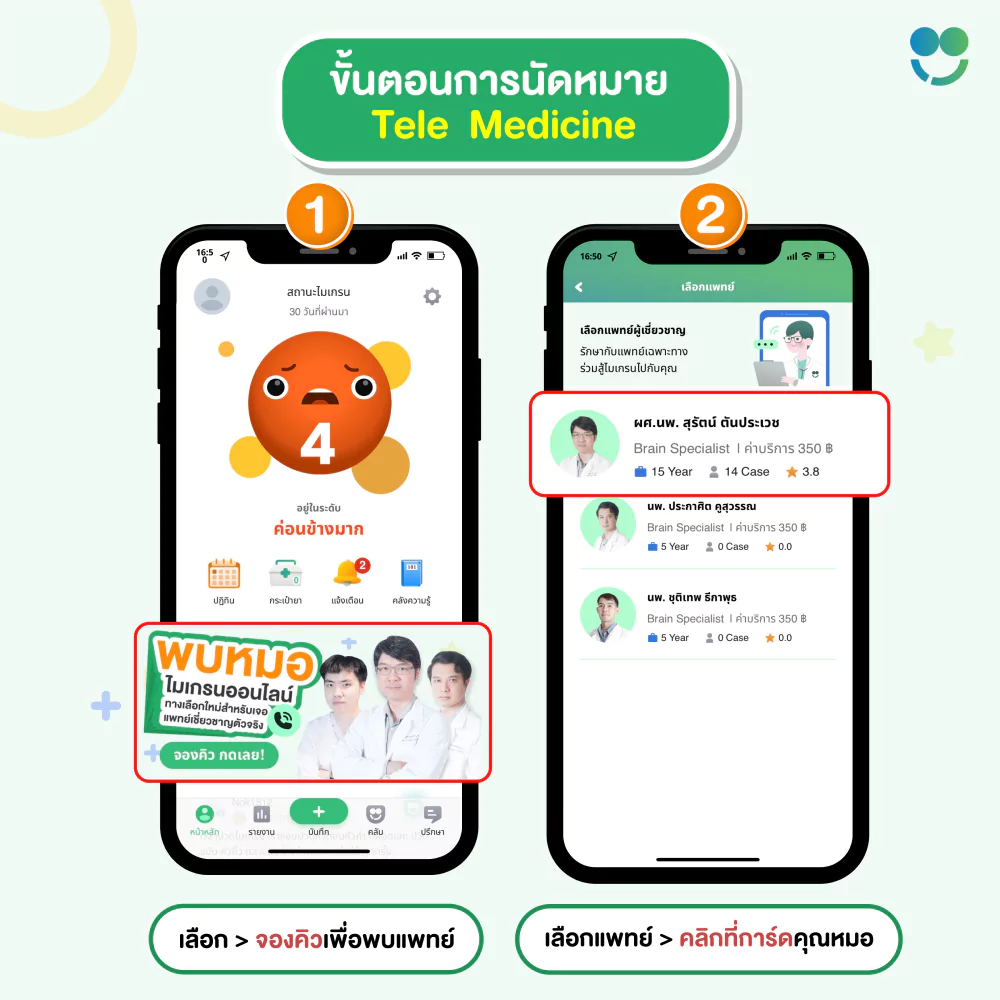
Tap the “Book Appointment” banner on the app homepage, then select your preferred doctor.
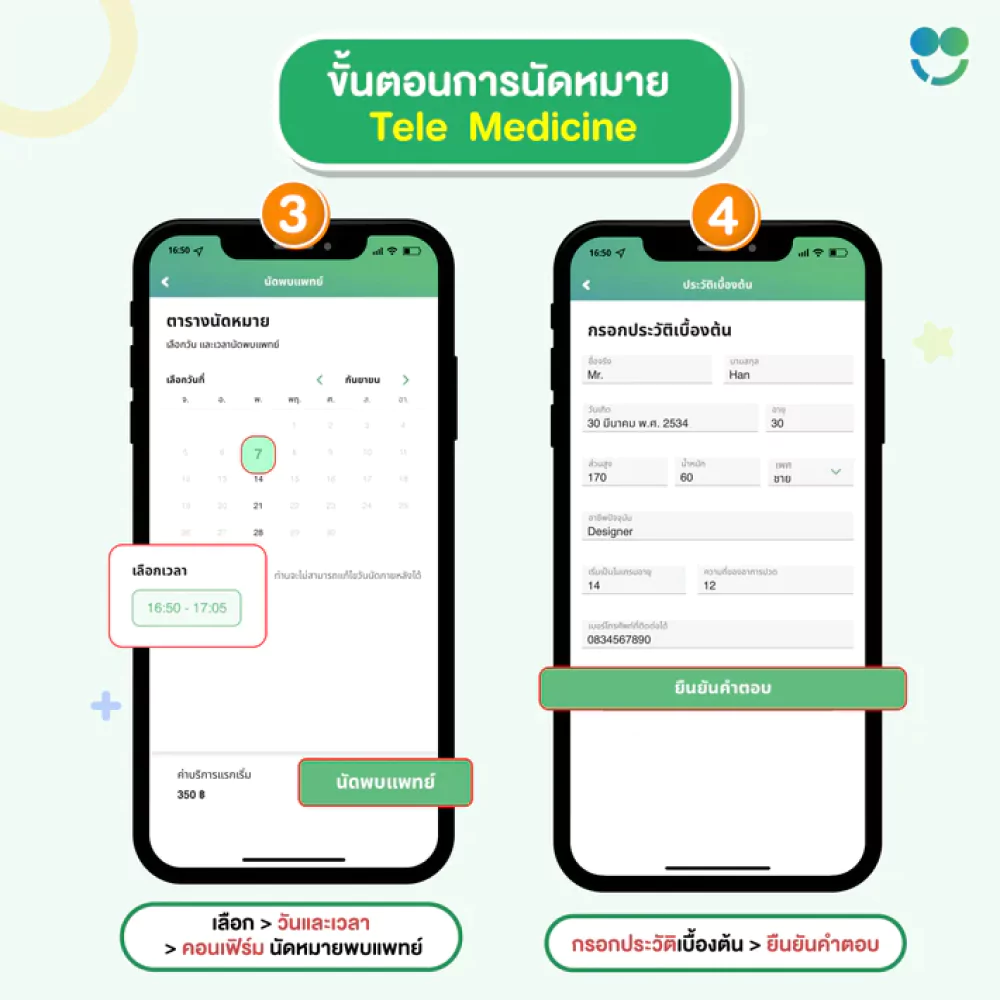
The system will show available dates and times. Choose your preferred slot to book. You will be directed to the “Fill in Basic Info” page so the doctor can review before consultation.
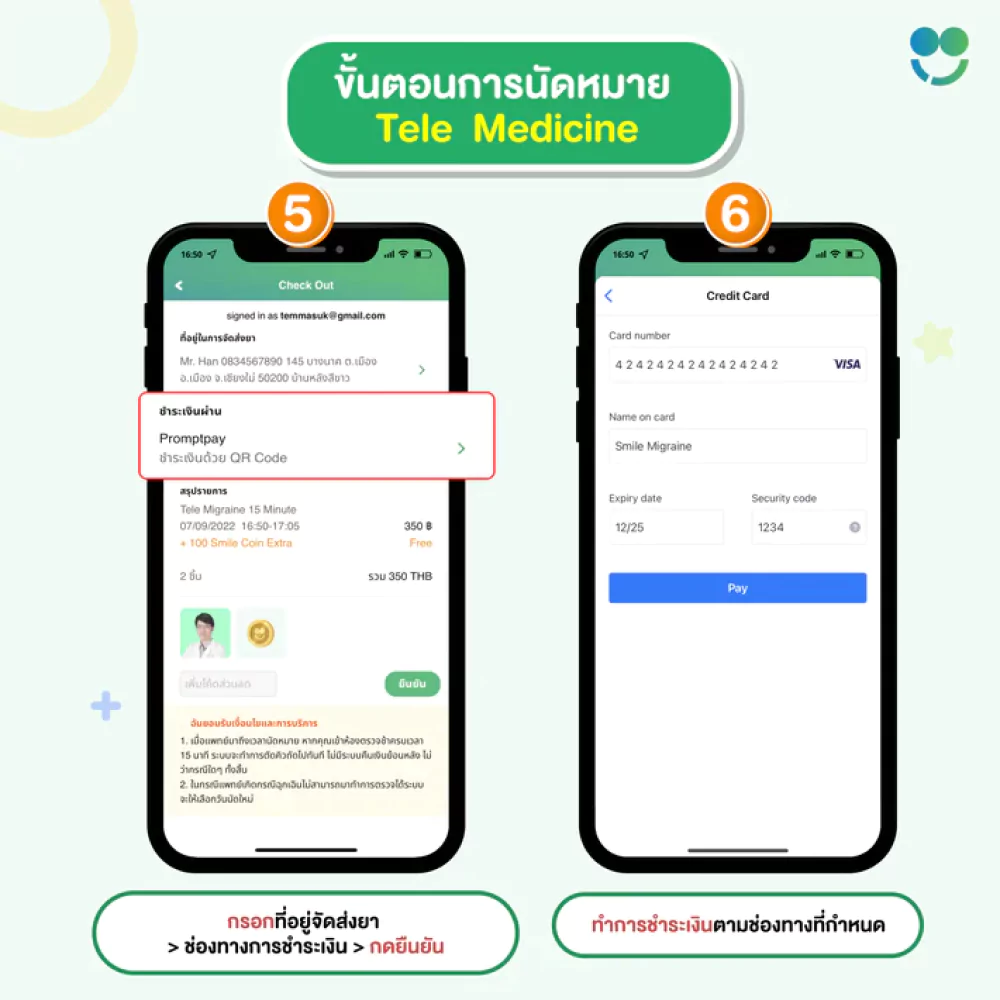
Then you’ll proceed to the payment page to confirm your booking. You’ll need to provide your delivery address (if medication is prescribed) and choose a payment method. There are 3 available payment methods:
1. QR Code PromptPay (iOS, Android)
2. Internet Banking (iOS)
3. Credit/Debit Card (iOS only)
If you have a discount code, enter it in the “Apply Discount Code” field and confirm. Once all details are filled in, tap “Confirm Payment.” The system will take you to the selected payment gateway.
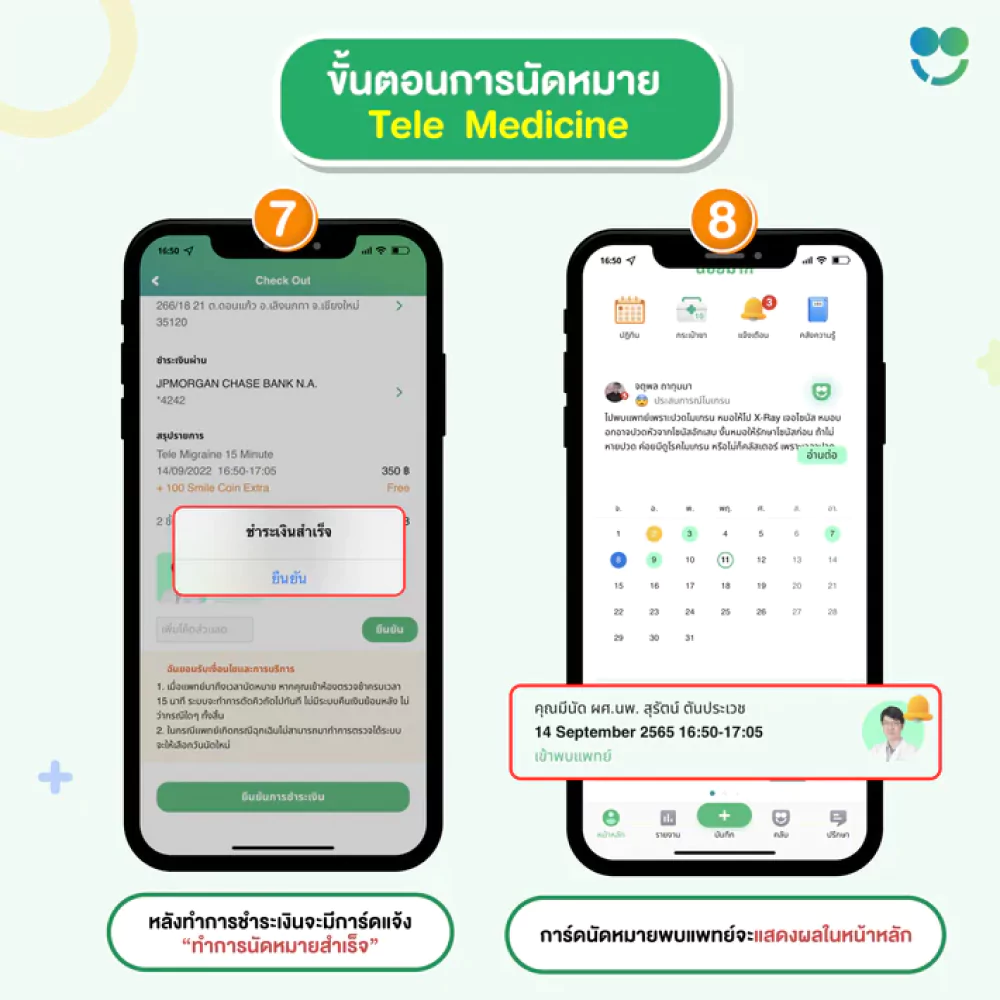
After successful payment, a popup will confirm your payment was successful. When you return to the homepage, a card showing your appointment date and time will appear. When it’s time for your appointment, tap the card to enter the video call with your doctor.
Free Download Application
Download the Smile Migraine application today
on Android and iOS operating systems!